


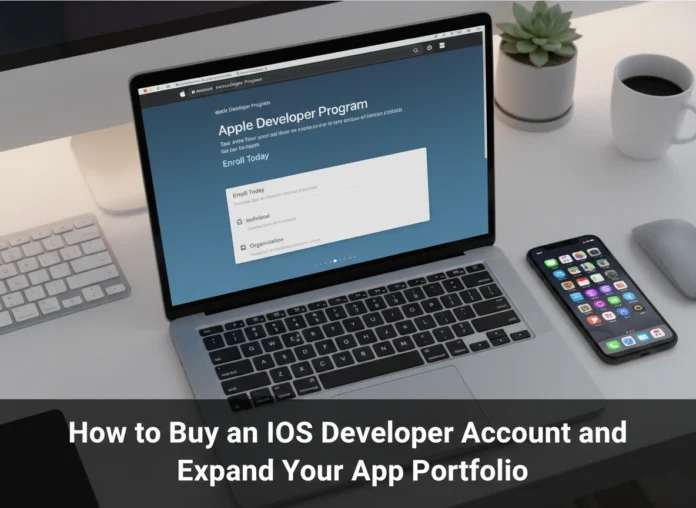


An Apple Developer Account is more than just a key; it’s the gateway to one of the world’s most lucrative and influential digital marketplaces. For developers, entrepreneurs, and businesses, securing this account is the first concrete step toward distributing applications to hundreds of millions of users on the App Store. Without it, your brilliant iOS app remains a local project, inaccessible to a global audience. This guide provides a comprehensive walkthrough on how to buy an iOS Developer Account and offers strategic insights into expanding your app portfolio for long-term success.
The Foundation of Your iOS Journey
The Apple Developer Program is a membership that provides you with everything needed to develop, test, and distribute your apps. Joining the program grants you access to beta OS releases, advanced app capabilities, and the essential tools to manage and publish your applications on the App Store. For any serious developer or business, this is not an optional step but a fundamental requirement for reaching the iOS user base.
Having an account unlocks App Store Connect, a powerful web-based suite of tools. Through this portal, you can submit and manage your apps, view sales reports, access detailed analytics, invite users to test beta builds with TestFlight, and respond to customer reviews. It’s the central nervous system for your entire iOS operation, making the annual fee a worthwhile investment in your app business’s infrastructure.
How to Buy an iOS Developer Account: A Step-by-Step Guide
Purchasing your developer account is a straightforward process. Before you begin, ensure you have the necessary prerequisites to avoid any delays. The process differs slightly depending on whether you are enrolling as an individual or as an organization.
Prerequisites for Enrollment
- An Apple ID: You need an Apple ID with two-factor authentication enabled. It’s wise to use an Apple ID specifically associated with your business or developer identity.
- A Compatible Device: The enrollment process is done through the Apple Developer app, which you can download from the App Store onto an iPhone or iPad. You can also enroll on the web.
- Personal Information: Be ready to provide your legal name, address, and phone number. This information must match your official identification documents.
- For Organizations: If you’re enrolling as a company or organization, you will also need a D-U-N-S Number. This is a unique nine-digit identifier for businesses that Apple uses to verify your company’s identity and legal status. You can check for and request a D-U-N-S Number for free through Apple’s portal during the enrollment process.
- Payment Method: A valid credit card is required to pay the annual membership fee.
The Enrollment Process
- Download the Apple Developer App: Go to the App Store on your iPhone or iPad and download the “Apple Developer” app. While you can also enroll via the web, the app often provides a smoother experience.
- Start Your Enrollment: Open the app and tap on the “Account” tab. Sign in with the Apple ID you intend to use for your developer account.
- Tap “Enroll Now”: Once signed in, you will see an option to enroll in the Apple Developer Program. Tap this button to begin the process. The app will guide you through the initial steps and ask for personal information.
- Choose Your Entity Type: You will be prompted to select whether you are enrolling as an “Individual” or an “Organization.”
-
- Individual: This is the simplest option, perfect for sole proprietors and hobbyists. Your legal name will be listed as the seller on the App Store.
- Organization: This option is for legally recognized entities like corporations, partnerships, or LLCs. Your company’s legal name will appear as the seller. This choice requires the aforementioned D-U-N-S Number and legal authority to bind your company to Apple’s agreements.
- Review and Accept the Agreement: Carefully read the Apple Developer Program License Agreement. You must accept its terms and conditions to proceed.
- Confirm Your Identity: Apple will verify the information you provided. For individuals, this is usually a quick process. For organizations, the verification involving the D-U-N-S number can take a few business days.
- Pay the Membership Fee: The final step is payment. The Apple Developer Program costs $99 USD per year (or the equivalent in your local currency). Enterprise accounts have a different fee structure at $299 USD per year. Enter your credit card details to complete the purchase.
- Welcome Email: After your payment is processed and your information is verified, you will receive a welcome email from Apple confirming your membership. You can now access App Store Connect and all other developer resources.
Setting Up Your Account for Success
Once your membership is active, take some time to configure your account properly. This will save you headaches down the line and streamline your development workflow.
Managing Your Team
If you work with other developers, designers, or marketers, you can add them to your team in App Store Connect. Go to “Users and Access” to invite new members. You can assign specific roles (like Admin, App Manager, or Developer) to control their level of access to your apps, financial data, and certificates.
Understanding Certificates, Identifiers & Profiles
This section, found within your Buy IOS Developer Account on the web, is critical for app deployment.
- Certificates: These digital signatures verify your identity and allow you to build and distribute your apps.
- Identifiers: An App ID is a unique identifier that connects your application to your developer account.
- Profiles: Provisioning profiles tie everything together—your certificates, App ID, and devices—allowing you to install and test your app on physical hardware before submitting it to the store.
Exploring App Store Connect
Familiarize yourself with the App Store Connect dashboard. This is where you will:
- Create your app’s store listing (name, description, screenshots, keywords).
- Upload your app builds for review.
- Manage TestFlight for beta testing.
- View analytics on downloads, sales, usage, and crashes.
- Respond to customer reviews to build community and gather feedback.
Strategies for Expanding Your App Portfolio
A single successful app is great, but a portfolio of apps creates a more resilient and scalable business. Expanding your portfolio diversifies your revenue streams and builds brand authority on the App Store.
Conduct Thorough Market Research
Before you write a single line of code, identify a need. Look for underserved niches or opportunities to improve upon existing solutions. Use tools like App Annie or Sensor Tower to analyze competitor performance, download trends, and revenue estimates. Pay close attention to user reviews of competing apps—they are a goldmine of ideas for features and improvements.
Follow App Development Best Practices
Quality is non-negotiable on the App Store. Users have high expectations for performance, design, and stability.
- User-Centric Design: Prioritize a clean, intuitive, and accessible user interface (UI) and user experience (UX). Follow Apple’s Human Interface Guidelines.
- Performance: Ensure your app is fast, responsive, and efficient with battery and data usage.
- Regular Updates: Keep your apps updated to support new iOS versions, fix bugs, and introduce new features based on user feedback. This signals to both users and Apple that your app is actively maintained.
Leverage Analytics to Drive Decisions
Your App Store Connect analytics are your guide. Monitor key metrics:
- Impressions & Downloads: How many people see your app versus how many download it? A low conversion rate may indicate a problem with your app icon, screenshots, or description.
- Usage & Engagement: How often are people using your app? Which features are most popular? Use this data to focus your development efforts.
- Crash Reports: Immediately address crashes to improve your app’s rating and user retention.
By analyzing this data, you can make informed decisions about which apps in your portfolio to update, which new features to build, and what new app ideas might succeed.
Conclusion: Your Portal to App Success
Buying an iOS Developer Account is the first major milestone in your journey as an app publisher. It transforms you from an aspiring developer into a business owner with access to a massive global market. The annual fee is a small price for the powerful tools, resources, and distribution platform you receive in return.
By following the steps to secure your account, setting it up for efficient workflow, and applying strategic principles to expand your portfolio, you build a strong foundation for a thriving app business. Your developer account is the portal; your vision, execution, and commitment to quality will determine your success within it.