

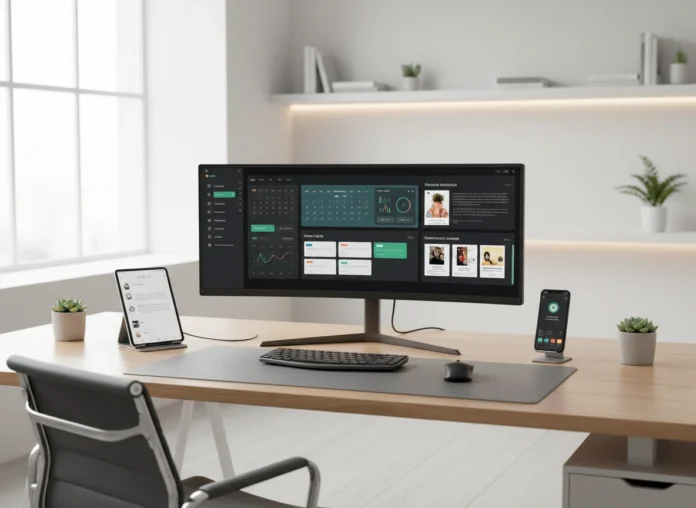


The way we work has fundamentally changed. Gone are the days when work was a physical place you went to. Now, for millions, work is what you do, and it happens within a digital environment. This collection of apps, platforms, and processes is your digital workspace. A poorly constructed one leads to frustration, lost files, and wasted time. A well-designed digital workspace, however, can boost productivity, improve collaboration, and create a more satisfying work experience.
This guide will walk you through the essentials of building a digital workspace that is tailored to your specific needs. We will cover the core components, steps for customization, and tips for maintaining efficiency. By the end, you will have a clear roadmap to create a digital environment that supports, rather than hinders, your best work.
What is a Digital Workspace?
A digital workspace is more than just the laptop you use. It’s the integrated, technology-enabled environment where you and your team access everything needed to do your jobs. This includes communication tools, project management software, cloud storage, and all the applications required for your daily tasks. Think of it as the digital equivalent of a physical office, complete with a file cabinet, a conference room, a desk, and a water cooler.
The importance of a streamlined digital workspace has grown alongside the rise of remote and hybrid work models. When teams are distributed, this shared digital space becomes the central hub for all activity. It ensures everyone has secure access to the same information, fosters collaboration across distances, and helps standardize workflows. A cohesive digital workspace prevents information silos and reduces the friction of switching between dozens of disconnected tools.
Key Elements of an Effective Digital workspace
Building a functional digital space requires a thoughtful selection of tools and a commitment to organization. The goal is to create a seamless experience where technology fades into the background, allowing you to focus on the work itself.
The Right Tools and Technology
The foundation of your digital workspace is the software you choose. While specific needs vary by industry and role, several categories of tools are universally essential.
- Communication Hub: This is where conversations happen. Tools like Slack, Microsoft Teams, or Google Chat provide real-time messaging, channels for specific topics or projects, and integrations with other apps. This centralizes communication, reducing reliance on cluttered email inboxes. Video conferencing platforms like Zoom or Google Meet are also vital for face-to-face interactions.
- Project and Task Management: To keep work moving forward, you need a system to track who is doing what, and by when. Platforms such as Asana, Trello, Jira, or Monday.com help visualize workflows, assign tasks, and monitor progress. These tools bring clarity to complex projects and ensure accountability.
- Cloud Storage and Document Collaboration: Secure and accessible file storage is non-negotiable. Services like Google Drive, Dropbox, or Microsoft OneDrive allow you to store files in the cloud, access them from any device, and collaborate on documents in real time. This eliminates the confusion of multiple document versions and ensures everyone is working from the latest information.
- Knowledge Management System: Where does important information live? A knowledge base or company wiki, like Notion, Confluence, or Slite, serves as a central repository for processes, guidelines, and company knowledge. This “single source of truth” reduces repetitive questions and makes it easy for team members to find answers independently.
Organization and Structure
Having the right tools is only half the battle. How you organize them determines their effectiveness. A chaotic digital workspace is just as unproductive as a messy physical desk.
- Standardized Naming Conventions: Establish clear and consistent rules for naming files, folders, and communication channels. For example, a project folder might follow the format
[ClientName]_[ProjectName]_[Date]. This simple practice makes information infinitely easier to find. - Logical Folder Structures: Design a folder hierarchy in your cloud storage that is intuitive and scalable. Start with broad categories (e.g., “Clients,” “Marketing,” “Finance”) and create more specific subfolders within them. Document this structure so everyone on the team understands it.
- Defined Communication Channels: In your messaging app, create specific channels for different projects, teams, or topics (e.g.,
#project-alpha,#marketing-team,#random). This keeps conversations focused and prevents important information from getting lost in a general chat.
Steps to Customize Your Digital Workspace
A one-size-fits-all approach rarely works. The most effective digital workspaces are customized to the unique workflows of the individual or team using them.
1. Audit Your Current Tools and Processes
Before adding anything new, take stock of what you already use. Make a list of all the software and applications you rely on daily. Ask yourself and your team critical questions:
- Which tools are essential?
- Are there overlapping functions? (e.g., using two different apps for task management)
- What are the main pain points in our current workflow?
- Where are the bottlenecks and inefficiencies?
This audit will reveal opportunities to consolidate software, eliminate redundancies, and identify gaps that a new tool could fill. The goal is to simplify and streamline, not just to add more apps.
2. Define Your Core Workflows
Map out your most common processes from start to finish. For example, how does a new project get initiated, assigned, executed, and completed? By visualizing these workflows, you can see where different tools should connect.
Look for opportunities to automate repetitive tasks. Many modern applications offer integrations that can create powerful automations. For instance, you could set up a rule where completing a task in Asana automatically archives the corresponding project channel in Slack. These small efficiencies add up, freeing up valuable time and mental energy.
3. Select and Integrate Your Tools
Based on your audit and workflow analysis, select the core tools that will form your digital workspace. Prioritize software that integrates well with other platforms. A well-integrated system allows data to flow seamlessly between applications, reducing the need for manual data entry and context switching.
When introducing new tools, do so thoughtfully. Provide proper training and documentation to ensure everyone understands how to use them correctly. Start with a small pilot group to work out any kinks before rolling out a new platform to the entire team.
Maintaining Productivity and Avoiding Pitfalls
A digital workspace can be a double-edged sword. While it offers flexibility and power, it also presents new challenges for focus and well-being.
Combat Digital Overload
The constant stream of notifications from chat apps, emails, and project management tools can be a major source of distraction. Be deliberate about managing your notifications.
- Turn Off Non-Essential Alerts: Go into the settings of your applications and disable desktop and mobile notifications for anything that is not urgent.
- Use Statuses and “Do Not Disturb” Mode: Signal your availability to colleagues by setting your status in communication apps. Use “Do Not Disturb” modes when you need to focus on deep work.
- Schedule Check-in Times: Instead of constantly monitoring your inbox and chat, block out specific times in your day to check and respond to messages.
Establish Clear Boundaries
The “always-on” nature of a digital workspace can blur the lines between work and personal life. It’s crucial to establish clear boundaries to prevent burnout.
- Define “Working Hours”: Communicate your available hours to your team and stick to them. Avoid sending or responding to non-urgent messages outside of these times.
- Create a “Shutdown” Ritual: At the end of your workday, create a routine to mentally disconnect. This could involve reviewing your to-do list for the next day, closing all work-related tabs, and turning off notifications.
The Benefits of a Thoughtful Digital Workspace
Investing time in building a well-designed digital workspace pays significant dividends. It moves you from a state of digital chaos to one of control and clarity. The primary benefit is a marked increase in productivity, as time is no longer wasted searching for information or juggling disconnected apps.
Furthermore, a cohesive digital environment enhances collaboration, ensuring that everyone on the team is aligned and working from a single source of truth. This ultimately leads to better work outcomes and a more positive, less stressful work experience for everyone involved. Your digital workspace is the foundation of modern work; building it correctly is one of the most important investments you can make in your own effectiveness.
Please click here for more info.