

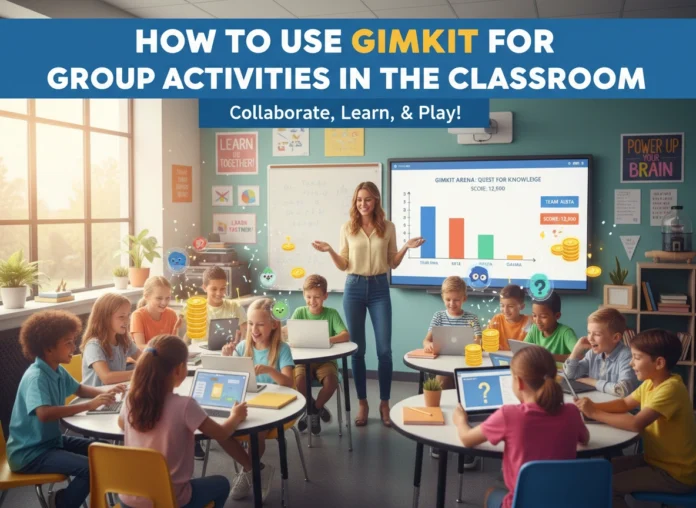


Educators are constantly searching for tools that do more than just test knowledge—they want resources that spark genuine collaboration and energy. Gimkit has emerged as one of these standout platforms. While it shares similarities with other quiz-based games like Kahoot! or Quizizz, Gimkit distinguishes itself through its unique game modes and economy-based reward system. It transforms a standard review session into a strategic, high-stakes competition where students must work together to succeed.
For teachers looking to foster teamwork and communication, Gimkit offers powerful features that go beyond individual achievement. This guide explores how to leverage Gimkit specifically for group activities, turning your classroom into a hub of cooperative learning.
What is Gimkit?
Gimkit is a game-show style interactive learning platform created by students, for students. Unlike traditional quiz platforms where points are just numbers on a leaderboard, Gimkit uses in-game currency. Students answer questions on their own devices at their own pace. Correct answers earn them “money,” which they can then spend on upgrades and power-ups. These upgrades might increase the amount of money earned per question, while power-ups can protect them from other players or give them a strategic edge.
The platform is incredibly versatile. It supports live classroom games as well as independent assignments. However, its true potential shines in its collaborative game modes, where the goal shifts from “how much can I earn?” to “how can we survive or win together?”
The Benefits of Using Gimkit for Group Activities
Integrating Gimkit into your group work rotation offers several pedagogical advantages that support social-emotional learning and content mastery.
1. Fosters Strategic Collaboration
In team modes, students cannot win solely by knowing the answers. They must communicate. They need to decide who buys which upgrades and when to use specific power-ups. This adds a layer of critical thinking and strategy that is often missing from simple review games.
2. Encourages Peer Teaching
Because the questions repeat until the game ends, students who struggle with specific concepts get multiple exposures to the correct answers. In a group setting, teammates naturally help one another understand the material so the team can progress faster. The stronger students lift up those who are struggling, creating an organic peer-tutoring environment.
3. Increases Engagement Through Gamification
The “economy” of Gimkit is addictive in the best way. Students are motivated to answer questions correctly not just for a grade, but to earn the resources needed to help their team. This gamified loop keeps energy levels high, even for dry or repetitive subject matter.
4. Lowers the Stakes for Failure
In a traditional test, a wrong answer is penalized. In Gimkit, a wrong answer just means a temporary setback or a loss of virtual currency. This safe environment encourages risk-taking and resilience. Students learn that they can recover from mistakes, especially with the support of their team.
Step-by-Step: Setting Up Gimkit for Group Play
Getting started with a group activity on Gimkit is straightforward. Here is how to set up your first collaborative session.
Step 1: Create or Import a Kit
First, log in to your Gimkit dashboard. You need a “Kit”—a set of questions.
- Create from scratch: Click “New Kit,” name it, and start typing your questions and answers.
- Import from Quizlet: If you already have flashcards on Quizlet, you can import them directly to save time.
- Search the Library: You can search for existing Kits made by other teachers and modify them to fit your needs.
Step 2: Launch the Game
Once your Kit is ready, click “Play Live.” You will see a menu of different game modes. This is the crucial step for group activities.
Step 3: Select a Collaborative Mode
Avoid “Classic” mode if your goal is teamwork. Instead, choose one of the following:
- Team Mode: Students are split into teams and pool their money together.
- Trust No One: A game of deduction similar to “Among Us,” where students work together to identify the impostors.
- The Floor is Lava: A purely cooperative mode where the whole class works together to keep the blocks above the lava.
- Capture the Flag: Teams compete to capture zones.
Step 4: Configure Game Options
Before starting, adjust the settings:
- Time Limit: Set how long the game will last (10-15 minutes is usually ideal).
- Starting Cash: Give students a boost if you want the game to move faster.
- Handicap: If you have teams of uneven sizes or abilities, you can give certain teams a head start.
Step 5: Join and Play
Project the game code on the board. Students join via gimkit.com/join using the code. Once everyone is in, click “Start Game.”
Examples of Group Activities Using Gimkit
Simply turning on “Team Mode” is great, but structuring specific activities around Gimkit can deepen the learning experience. Here are three distinct ways to structure group play.
Activity 1: The Strategy Huddle (Team Mode)
Objective: Enhance communication and strategic planning.
Setup: Divide the class into teams of 4-5 students.
The Activity:
Before the game starts, give each team 2 minutes to “huddle.” They must discuss a strategy. Who will be the primary earner? Who will be responsible for buying upgrades? Who will monitor the other teams?
Once the game begins, pause the game at the halfway mark (using the teacher controls). Give teams another 60-second huddle to adjust their strategy based on the current standings. This pause forces them to reflect on their performance and pivot if necessary.
Activity 2: Class vs. The Teacher (The Floor is Lava)
Objective: Foster whole-class unity and cooperation.
Setup: Select the “The Floor is Lava” mode.
The Activity:
In this mode, the entire class works as a single unit to build a structure that stays above rising lava. If anyone stops answering questions or answers incorrectly too often, the structure suffers.
Frame this as a challenge: “If the class can survive for 10 minutes, there is no homework tonight.” This unifies the entire room against a common enemy (the game/the lava), eliminating inter-student competition and replacing it with total cooperation.
Activity 3: The Investigation (Trust No One)
Objective: Critical thinking and deduction.
Setup: Select “Trust No One” mode. This works best with slightly smaller groups or a calm classroom environment.
The Activity:
Students answer questions to earn power and run investigations on their peers to find the “Impostors” who are trying to sabotage the game.
Pause the game periodically for “Emergency Meetings.” During these meetings, students must use evidence to accuse or defend peers. This requires them to articulate their reasoning and listen to others, blending content review with social deduction skills.
Tips for Maximizing Effectiveness
To ensure your Gimkit group activities run smoothly and result in actual learning, keep these professional tips in mind.
Rotate Teams Frequently
Don’t let students always pick their friends. Use random team generators or group students by mixed ability levels. This ensures that the same students don’t dominate the leaderboard every time and encourages students to work with peers they might not usually interact with.
Balance the “Shop”
Sometimes, the power-ups can be chaotic. If you find that students are focusing too much on freezing each other and not enough on answering questions, you can toggle off certain power-ups in the game settings before you launch. For strictly academic reviews, you might disable “offensive” power-ups and leave only the “earning” upgrades active.
Debrief After the Game
The learning shouldn’t stop when the timer runs out. Spend three to five minutes debriefing.
- Review the Data: Gimkit provides a detailed report at the end. Look at the “Questions” breakdown to see which concepts the class struggled with most.
- Discuss Strategy: Ask the winning team, “What was your strategy? Did you focus on upgrades first or pure speed?”
- Address Misconceptions: Pull up the three hardest questions and review the correct answers immediately while student attention is still high.
Use It as a Formative Assessment
While Gimkit feels like a game, the data it generates is serious business. Use the post-game report to identify students who may have been “hiding” in the group. Even in team modes, Gimkit tracks individual accuracy. If a student is on the winning team but had 30% accuracy, they still need intervention.
Conclusion
Gimkit has successfully bridged the gap between engagement and education. By moving beyond individual competition and embracing its collaborative features, teachers can create a classroom environment that is energetic, cooperative, and deeply focused on learning.
Whether you are using “The Floor is Lava” to build class morale or “Team Mode” to encourage strategic thinking, Gimkit provides a flexible framework for group activities. It turns the often-solitary act of review into a shared experience, proving that in the modern classroom, we learn better when we learn together. By following the setup steps and activity examples outlined above, you can confidently integrate this powerful tool into your teaching repertoire.
Please visit this website for more info.