

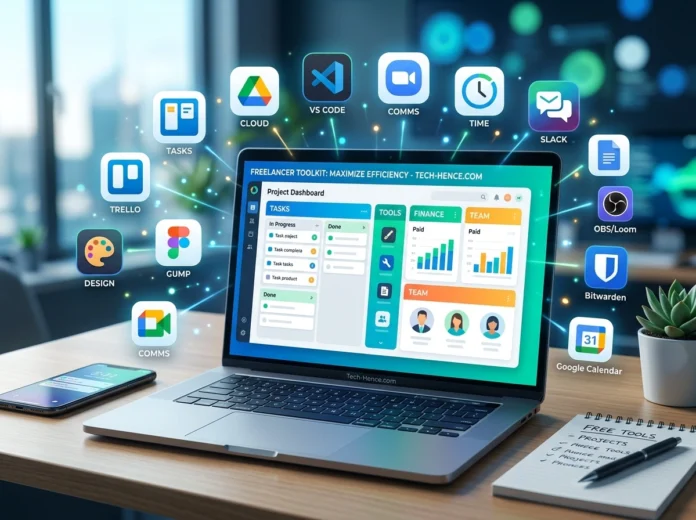


Freelancing gives you freedom, flexibility, and the chance to build a career on your own terms. But it also means you wear every hat in your business. You’re the marketer, the accountant, the project manager, and the designer all at once. Juggling those roles can feel overwhelming, especially when your budget is tight.
The good news? You don’t need to spend a fortune on software to run a professional operation. Plenty of powerful free tools can handle almost everything you need. We’ve pulled together the best free software tools that help freelancers stay organized, produce great work, and get paid on time. For more tech recommendations and reviews, the team at tech-hence.com regularly tests tools like these to help independent workers thrive.
Let’s dig into the best options across the categories that matter most.
Project Management Tools
Staying on top of deadlines and deliverables is the backbone of freelance success. Miss a due date, and you risk losing a client. These free tools keep everything in one place.
Trello
Trello uses a simple card-and-board system that’s perfect for visual thinkers. You can create boards for each client, add cards for individual tasks, and drag them across columns as work progresses. The free plan gives you unlimited cards and up to 10 boards per workspace. It’s a fantastic pick for freelancers who want clarity without a steep learning curve.
ClickUp
If you manage several clients at once, ClickUp offers more muscle. Its free forever plan includes tasks, docs, goals, and time tracking. You can switch between list, board, and calendar views depending on how you like to work. Beginners might need a day or two to explore all the features, but the payoff is worth it.
Notion
Notion blends notes, databases, and task management into one flexible workspace. Many freelancers use it as an all-in-one hub for client info, project tracking, and personal to-do lists. The free plan is generous for individuals and lets you build a system that fits exactly how your brain works.
Communication and Collaboration Tools
Clear communication keeps clients happy and projects moving. These tools help you stay connected no matter where your clients are based.
Slack
Slack is a favorite for team messaging. If your clients use it, joining their workspace makes real-time chat easy. The free version stores your most recent messages and supports one-on-one video calls. It keeps conversations organized by channel, so nothing gets lost in a messy inbox.
Zoom
Video calls are part of freelance life, whether you’re pitching a new client or reviewing a draft. Zoom’s free tier allows meetings up to 40 minutes with up to 100 participants. The quality is reliable, and screen sharing makes it easy to walk clients through your work.
Google Meet
If you’d rather skip time limits on smaller calls, Google Meet is a solid alternative. It’s built into your Google account and works right in the browser. No downloads, no fuss. Perfect for quick check-ins.
Design and Creative Tools
Even if you’re not a designer by trade, you’ll often need to create graphics, presentations, or visuals for clients. These tools make it simple.
Canva
Canva is a game-changer for freelancers who need professional-looking visuals fast. The free plan comes packed with templates for social media posts, presentations, resumes, and more. Drag-and-drop editing means you can create polished designs without any graphic design background.
GIMP
For those who need serious photo editing power, GIMP is a free alternative to Photoshop. It handles retouching, layering, and image composition. The interface takes some getting used to, but the capabilities rival expensive paid software.
Figma
Figma is the go-to for web and interface design. Its free plan supports up to three projects and real-time collaboration, which is handy when clients want to give feedback. Designers and non-designers alike appreciate how intuitive it feels.
Invoicing and Payment Tools
Getting paid is the whole point, right? These free tools help you send professional invoices and track your income without a headache.
Wave
Wave offers free invoicing and accounting built specifically for small businesses and freelancers. You can create branded invoices, track expenses, and even accept payments. There are no monthly fees for the core features, which makes it a standout choice.
PayPal
PayPal remains one of the easiest ways to receive payments from clients worldwide. Creating and sending invoices is straightforward, and clients can pay with just a few clicks. Keep in mind there are transaction fees, but the convenience is hard to beat.
Invoice Ninja
Invoice Ninja gives you professional invoicing plus time tracking and expense management. The free plan covers unlimited invoices for a healthy number of clients, making it ideal for freelancers who bill regularly.
Productivity and Time Management Tools
Working solo means you’re responsible for your own focus. These tools help you track your hours and make the most of your day.
Toggl Track
Toggl Track is a simple, powerful time tracker. Start a timer when you begin a task and stop it when you’re done. The free plan gives you detailed reports so you can see where your hours go and bill clients accurately.
Clockify
Clockify is another excellent free time tracker with no limits on the number of users or projects. It’s great for freelancers who want to understand their productivity patterns and estimate future projects more precisely.
Google Workspace
Docs, Sheets, Drive, and Calendar come free with a Google account. This suite covers document creation, spreadsheets, cloud storage, and scheduling. For many freelancers, it’s the foundation of daily work.
Writing and Content Tools
Whether you’re a writer or just need clean communication, strong writing tools sharpen your work.
Grammarly
Grammarly checks your spelling, grammar, and clarity as you type. The free version catches most common mistakes and helps you write with confidence. It works across email, documents, and web browsers.
Hemingway Editor
The Hemingway Editor highlights long sentences, passive voice, and hard-to-read phrases. Paste your text in, and it shows you exactly where to tighten things up. It’s a favorite among freelancers who write proposals, blog posts, and client emails.
LibreOffice
LibreOffice is a full free office suite that opens and edits Word, Excel, and PowerPoint files. If you need a desktop alternative to paid office software, it delivers everything a freelancer needs.
Password and Security Tools
Protecting your accounts and client data is essential. A single breach can damage your reputation.
Bitwarden
Bitwarden is a free password manager that stores your logins securely and generates strong passwords. It syncs across all your devices, so you never have to remember dozens of complex passwords again.
How to Choose the Right Tools
With so many options, it’s easy to feel tempted to sign up for everything. Resist that urge. Start with one tool per category and learn it well before adding more. Ask yourself a few questions:
- What tasks eat up the most of my time?
- Which tools integrate with the software my clients already use?
- Does the free plan cover my current needs, or will I outgrow it fast?
Pick tools that solve real problems in your workflow. A cluttered tech stack can slow you down just as much as no tools at all.
Final Thoughts
Running a freelance business on a budget is absolutely doable. The free tools listed here cover project management, communication, design, invoicing, productivity, writing, and security, everything you need to look professional and work efficiently. The key is choosing the right mix for your specific needs and building a system that supports your goals.
Start small, test a few options, and keep what genuinely improves your workflow. As your business grows, you can always upgrade to paid plans when the value makes sense. Until then, these free tools give you a strong foundation to build a thriving freelance career without spending a dime.